

The Dashboard in the iCart Cart Drawer Cart Upsell app gives you a quick and easy overview of key components that help you manage your cart experience and upsell strategies. From enabling/disabling the app to customizing cart types and managing your funnel (upsell settings), the dashboard is your starting point for all major configurations.
➞ Let’s explore each section in detail:
Application status
This section allows you to enable or disable the iCart app on your Shopify store.
- When enabled, the iCart cart drawer and any active upsell funnels will be visible to your store visitors.
- Disabling the app hides the iCart cart drawer from your storefront, but your saved settings and designs will remain intact.
- The Application Status option appears in the dashboard only if the app is currently disabled. Once the app is enabled, this option disappears from the dashboard and gets moved to the Settings page.

Cart types
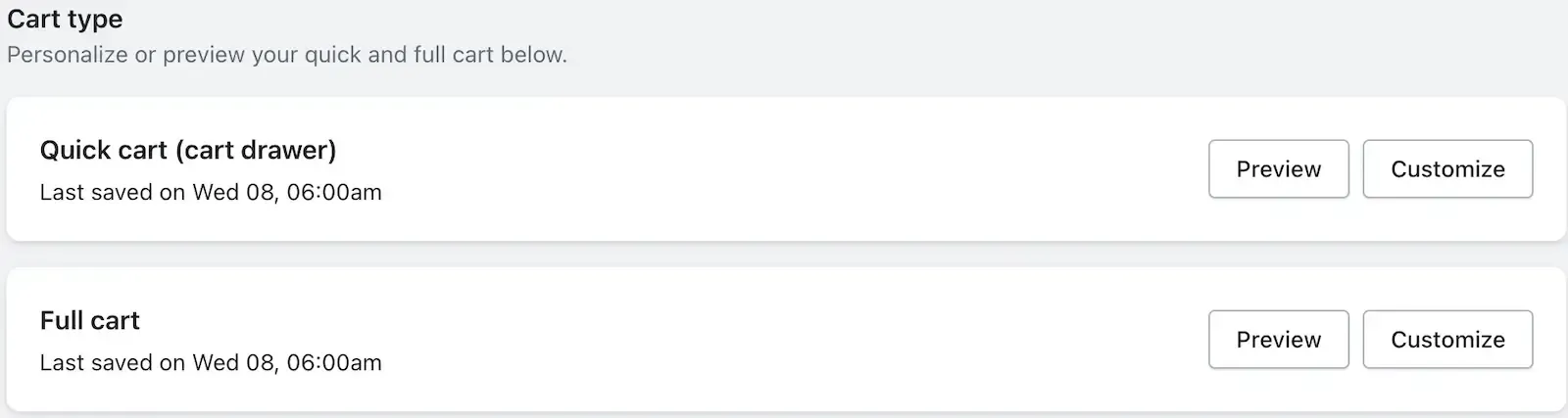
Here, you can customize the type of cart experience you want to offer your customers.
iCart supports the following cart types:
- Side Cart – A sleek, slide-out cart from the side of the page
- Quick Cart – A compact, fast-loading cart for minimal interruption
- Full Cart – A complete cart page with space for more detailed upsell options
Each cart type can be customized, and a live preview is available within the dashboard for real-time changes.
👉 For a step-by-step guide on setting up cart types, click here.
Conversion funnel
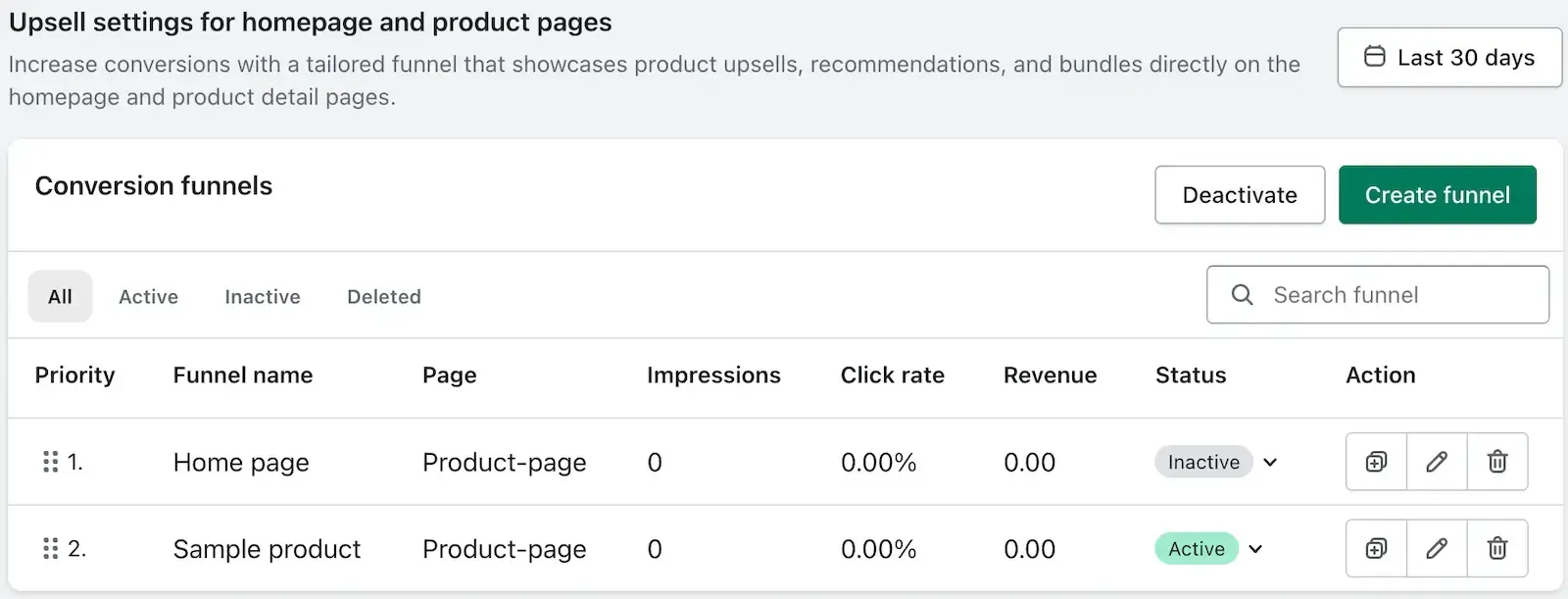
The Funnel section allows you to:
- View analytics for each upsell funnel you've created
- Create new funnels to boost conversions on your homepage and product pages
- Track funnel performance and optimize based on customer behavior
Need Help?
If you face any issues while using the dashboard or configuring any feature, don’t hesitate to drop a message in live chat or email us. We’re here to assist you every step of the way!