


The Full Cart Editor in the iCart Cart Drawer Cart Upsell app lets you completely customize your cart page, replacing your Shopify store’s default cart with a highly flexible, tailored version. This gives you greater control over the cart’s appearance and functionality, helping you create a more engaging and branded shopping experience.
In this guide, we’ll walk you through the general settings available in the Full Cart Editor—specifically focusing on button styles, button radius, and custom CSS options.
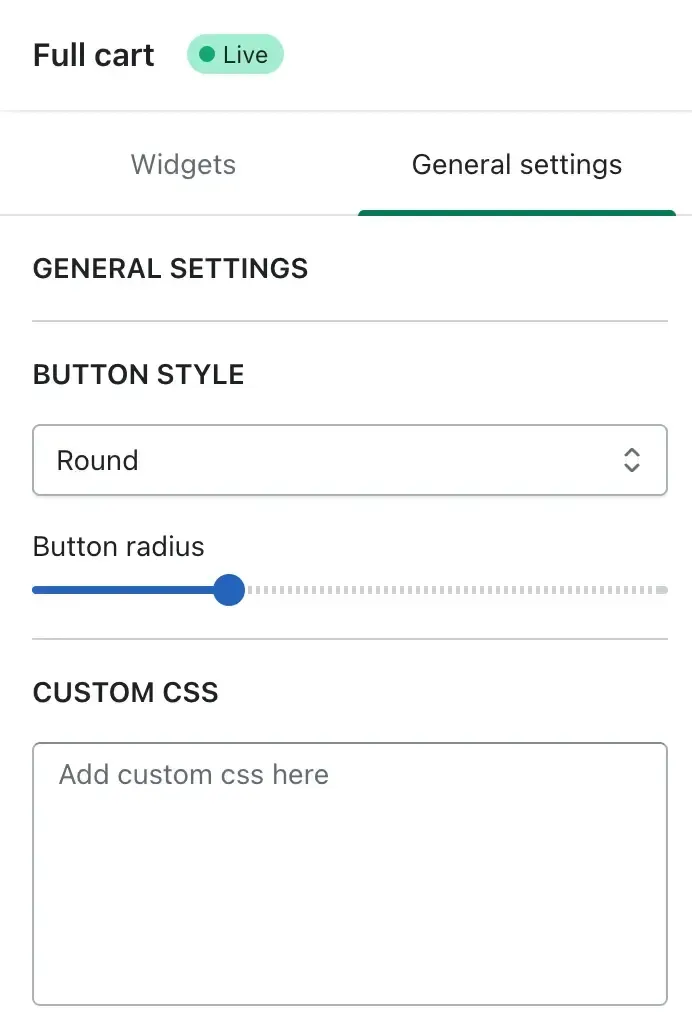
🔘 Button Style
This option allows you to choose the overall shape of buttons displayed within the full cart.
- Round – Applies rounded corners for a softer and modern look.
- Square – Keeps buttons with sharp edges for a more structured appearance.
Choose the one that best aligns with your store’s branding.
Button Radius
Fine-tune how round the buttons should appear using the Button Radius slider. Dragging the slider to the right increases the roundness, giving your cart a more friendly and mobile-optimized feel.
This is especially helpful if you're aiming for a more custom look beyond standard button styles.
🧩 Custom CSS
For advanced design control, the Custom CSS field allows you to directly insert CSS code. This is ideal if you want to:
- Adjust fonts (e.g., font family, size, or weight)
- Add unique color schemes
- Override default styling from the app