
Cart abandonment is one of the most frustrating problems for Shopify merchants. A shopper visits your store, checks your products, adds something to the cart, and then leaves without completing the order.
The good news is that most abandonment problems can be reduced with the right cart experience, transparent pricing, smoother checkout, and smart recovery flows. This cart abandonment guide will walk you through the reasons shoppers leave and the steps you can take to reduce shopify cart abandonment without depending only on discounts.
What is Cart Abandonment on Shopify?
Cart abandonment happens when a visitor adds products to the cart but does not complete the purchase. In Shopify, this can happen before checkout or after the shopper starts checkout and leaves before payment.
This is why merchants often track both cart abandonment and abandoned checkout. A shopify abandoned cart means the shopper showed purchase intent but dropped off before buying. For store owners, this is not just a lost order. It is paid traffic, product interest, and revenue opportunity left unfinished.
Why Do Shopify Customers Abandon Carts?
Before you fix abandonment, you need to understand what is stopping customers from buying. Most shopify cart abandonment issues come from one of these problems:
- Unexpected shipping fees, taxes, or extra charges
- No free shipping threshold
- Long or confusing checkout process
- Forced account creation
- Lack of payment options
- Slow website or poor mobile experience
- No delivery estimate
- Weak trust signals
- No urgency or reason to complete the order
- Distracting cart experience
Many stores focus only on sending recovery emails after shoppers leave. That is useful, but it should not be your first step. A stronger approach is to improve the cart and checkout journey so fewer shoppers leave in the first place.
How to Calculate Cart Abandonment Rate
Use this formula:
Cart abandonment rate = (Carts created - Orders completed) / Carts created × 100
For example, if 1,000 shoppers add products to the cart and 300 complete checkout, your cart abandonment rate is 70%.
This number helps you understand whether your store has a normal drop-off problem or a serious conversion leak. Check your Shopify analytics, checkout behavior, conversion funnel, and abandoned checkout reports regularly.
A good cart abandonment guide should not only explain tips. It should help you find where shoppers are leaving. If most people drop before checkout, improve the cart drawer, cart page, offers, shipping clarity, and trust elements. If most people leave during checkout, focus on checkout fields, delivery cost, payment methods, and recovery automation.
12 Tips to Reduce Shopify Cart Abandonment
1. Make Shipping Costs Clear Before Checkout
Unexpected costs are one of the biggest reasons shoppers abandon carts. If customers only see shipping charges at the final step, they may feel surprised or misled. Show shipping details early on the product page, cart drawer, cart page, or announcement bar. You can also use a free shipping threshold to motivate shoppers to add more items instead of leaving.
For example:
“Add $15 more to unlock free shipping.”
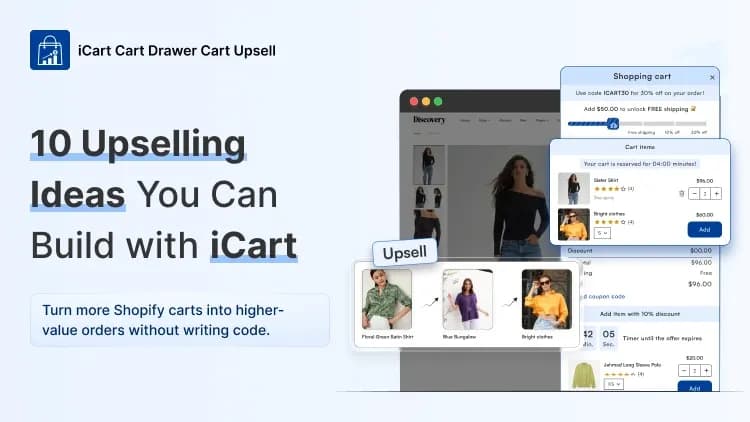
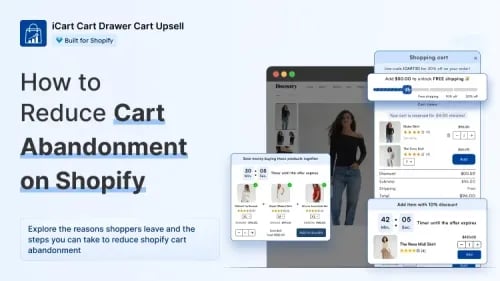
This works because shoppers can clearly see the benefit of increasing their order value. With iCart, merchants can add a progress bar or free shipping bar inside the cart drawer or cart page. iCart’s Shopify App Store listing highlights cart discounts, progress bar/shipping bar, free gifts, product bundles, and countdown timers as part of its cart upsell features.
2. Improve the Cart Experience Before Checkout
This is where many Shopify stores lose easy conversions. A plain cart page does not guide customers. It only shows products and a checkout button. But a conversion-focused cart can answer doubts, show offers, create urgency, and move shoppers closer to purchase.
This is one unique area where you can stand out from competitor blogs. Instead of only focusing on abandoned emails, optimize the cart itself.
Use your cart to show:
- Product recommendations
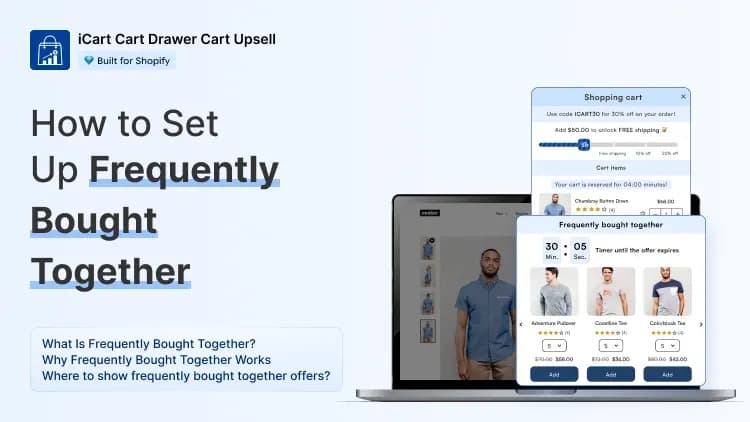
- Frequently bought together offers
- Free shipping progress
- Limited-time discounts
- Free gift offers
- Delivery date options
- Trust badges
- Return policy reminders
- Express checkout buttons
iCart helps here by letting Shopify merchants create a customizable side cart drawer, cart popup, and full cart page. It also supports cart upsells, cross-sells, product bundles, free gifts, progress bars, volume discounts, BOGO offers, and countdown timers.
Instead of sending shoppers to a basic cart, you can turn the cart into a guided buying step.
3. Simplify the Checkout Process
A complicated checkout creates hesitation. Every extra step gives customers more time to rethink the purchase.
To reduce shopify cart abandonment, keep the checkout process simple:
- Remove unnecessary fields
- Enable guest checkout
- Use address autocomplete
- Show order summary clearly
- Keep discount code fields easy to find
- Avoid asking for too much information
- Make checkout buttons visible on mobile
Baymard lists forced account creation and long or complicated checkout among key abandonment reasons. So, do not force new shoppers to create an account before buying. Let them buy first and create an account later.
4. Offer More Payment Options
Customers have different payment preferences. Some want cards. Some prefer PayPal, Shop Pay, Apple Pay, Google Pay, or buy now pay later options. If shoppers do not see their preferred payment method, they may leave. Baymard’s data shows limited payment options are also a reason for checkout abandonment.
For Shopify stores, Shop Pay can be especially helpful because it reduces repeated typing for returning shoppers. The fewer steps customers need to take, the easier it becomes to complete the purchase.
5. Build Trust Inside the Cart and Checkout
Customers may like your product but still hesitate if they are unsure about your store. This is especially true for first-time visitors.
Add trust-building elements before checkout:
- Secure payment messaging
- Return policy link
- Delivery estimate
- Customer reviews
- Money-back guarantee
- Support contact
- Payment icons
- “Ships in 24 hours” or similar fulfillment note
Do not wait until checkout to build trust. Add these details in the product page and cart drawer too. If shoppers feel safe before checkout, they are less likely to become another shopify abandoned cart.
6. Use Discounts Carefully
Discounts can recover carts, but they should not be your only strategy. If you offer discounts too early, shoppers may learn to abandon the cart just to receive a coupon.
Use discounts when they solve a real hesitation:
- Free shipping for shipping-cost objections
- First-order discount for new customers
- Bundle discount for low cart value
- Volume discount for bulk buyers
- Limited-time offer for hesitant shoppers
With iCart, merchants can show cart discounts, volume discounts, BOGO offers, free gifts, and buy-more-save-more offers directly inside the cart. This is useful because the offer appears while the shopper is still active, not after they have already left.
7. Add Urgency Without Looking Pushy
Urgency can help customers take action, but it must feel genuine. Fake countdowns or aggressive popups can damage trust. Use urgency for:
- Limited-time cart offers
- Low-stock messages
- Seasonal promotions
- Free gift deadlines
- Bundle offer timers
iCart supports countdown timers in the cart, which can help merchants highlight time-sensitive offers. The best approach is to keep the message simple, such as: “Complete your order in the next 10 minutes to keep this offer.”
This gives shoppers a reason to act now without making the store feel spammy.
8. Personalize Upsells and Cross-Sells
Upsells can either help or distract. The difference is relevance.
Do not show random products in the cart. Show products that complete the original purchase. For example, if someone adds shoes, recommend socks or shoe care. If they add a phone case, recommend a screen protector.
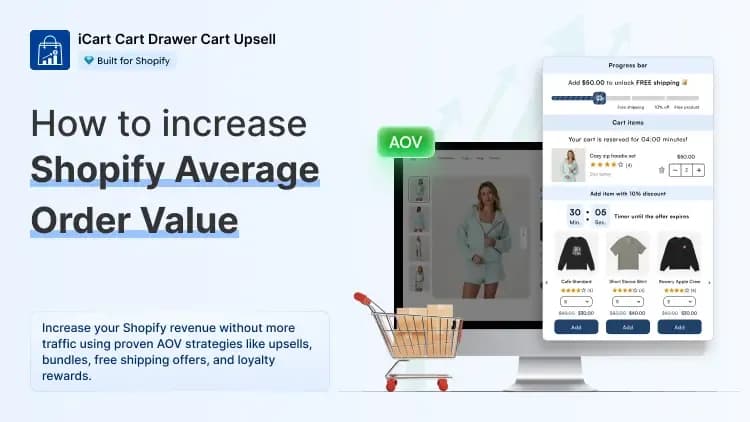
Relevant cart offers can reduce hesitation because they improve the value of the purchase. iCart supports AI-powered product upsells, cross-sells, product recommendations, and bundles before checkout, which helps merchants show smarter offers inside the cart experience.
This makes the cart more useful and can increase average order value while also improving the buying journey.
9. Set Up Abandoned Cart Emails
Even after improving your cart, some shoppers will still leave. They may get distracted, compare prices, or decide to buy later. This is where a shopify abandoned cart email flow helps.
Shopify’s abandoned checkout automation lets merchants send automated emails to customers who added products and started checkout but left before completing the purchase.
A simple recovery flow can look like this:
Email 1: Reminder Send after a few hours. Show the product and a clear “Complete Your Order” button.
Email 2: Trust Builder Send after 24 hours. Add reviews, return policy, delivery benefits, or support help.
Email 3: Final Nudge Send after 48 to 72 hours. Add a small discount, free shipping, or limited-time offer if your margin allows.
Your shopify abandoned cart email should not sound robotic. Keep it short, helpful, and focused on the product the customer already liked.
10. Use SMS and Retargeting for High-Intent Shoppers
Email is useful, but not every shopper checks email quickly. SMS and retargeting ads can bring back high-intent visitors faster.
Use SMS carefully. Keep the message short and only send it to customers who have given permission. Retargeting ads can remind shoppers of the product they left behind, especially if they visited the cart or checkout page.
For stronger results, segment shoppers based on cart value. A shopper who abandoned a $300 cart may deserve a different recovery offer than someone who abandoned a $25 cart.
11. Optimize for Mobile Shoppers
Many Shopify shoppers browse and buy from mobile devices. If your mobile cart feels slow, cluttered, or hard to use, abandonment will increase.
Check these mobile elements:
- Is the checkout button visible without scrolling too much?
- Are product images clear?
- Is the cart drawer easy to close and reopen?
- Are payment buttons easy to tap?
- Does the cart load quickly?
- Are offers readable on small screens?
- Is the discount field easy to use?
iCart’s App Store listing includes mobile responsive cart display features, which is important because the cart experience must work smoothly across devices.
12. Test and Improve Continuously
Reducing abandonment is not a one-time task. Customer behavior changes based on season, traffic source, product pricing, shipping policy, and offers.
Track these metrics every month:
- Add-to-cart rate
- Cart-to-checkout rate
- Checkout completion rate
- Abandoned checkout rate
- Recovery email conversion rate
- Revenue from cart offers
- Average order value
- Mobile vs desktop conversion rate
This cart abandonment guide works best when you treat it as an ongoing optimization process. Start with the biggest friction points, test one change at a time, and measure the impact.
Conclusion
Cart abandonment will never disappear completely, but you can reduce it with the right strategy. The key is to stop treating abandonment only as an email recovery problem.
Start by improving the cart experience. Show clear shipping details, build trust, simplify checkout, and give shoppers a strong reason to complete the order. Then use recovery emails, SMS, and retargeting to bring back the shoppers who still leave.
For Shopify merchants, iCart can support this process by turning the normal cart into a conversion-focused cart drawer, popup, or cart page with progress bars, upsells, cross-sells, bundles, discounts, free gifts, and countdown timers. When your cart becomes more helpful, shoppers feel more confident moving to checkout.
That is the real goal of this cart abandonment guide: reduce friction before checkout, recover more lost carts after abandonment, and convert more visitors into paying customers.