


The Custom HTML widget allows you to embed any custom HTML code directly into your cart — giving you full flexibility to show additional content. Whether it's a video embed, trust badge, or just a custom message — this widget has you covered.
Let’s go through each option available in the widget:
🏷️ Widget Heading
The widget heading helps you identify this widget within your iCart editor dashboard. It doesn’t appear on the customer-facing side but makes it easier for you to organize multiple widgets in your layout.
Learn more about widget headings →
🖼️ Title
This is the visible heading shown above your HTML content in the cart drawer. You can choose to show or hide this title, and customize its background and text color to match your brand style.
Learn more about title settings →
🔧 HTML
This is where the real power of the widget lies. You can paste your custom HTML code here to display anything you want inside the side cart drawer.
Examples of what you can embed:
- Custom banners with inline styles
- Trust badges or secure payment icons
- Embedded YouTube videos or product how-tos
- Third-party review widgets
- Special announcements or disclaimers
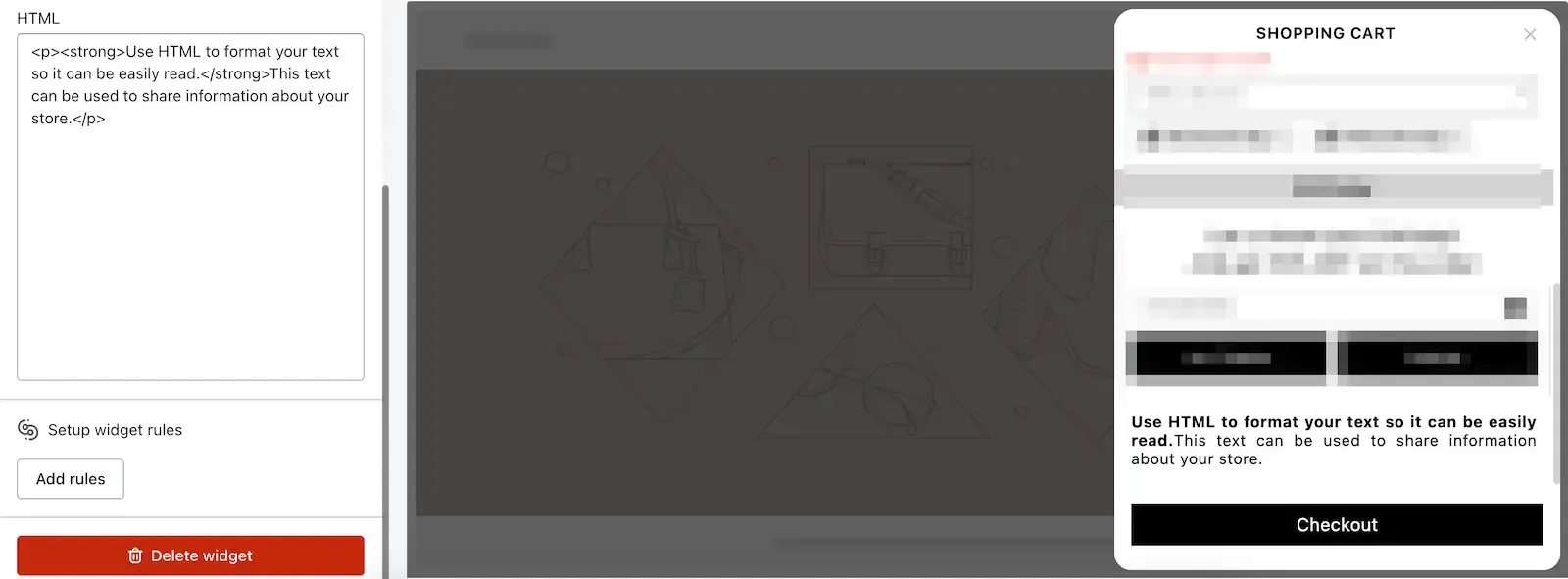
🧩 Rules
With rules, you can control when and to whom this widget should appear. For example, you can show your HTML widget only:
- On specific devices (mobile or desktop)
- When the cart contains certain products
- To logged-in customers only
Learn more about display rules →
🗑️ Delete Widget
If you no longer need this widget, simply scroll to the bottom of its settings and click the Delete button to remove it from the cart.
💬 Need Help?
If you have questions or need help inserting your custom HTML safely, feel free to email us or live chat with our support team — we’re always here to assist you!
Read this guide on Custom HTML to know more about it.