


Overview
This setting allows you to choose how discounts should be applied in the cart — whether to combine both Shopify and iCart discounts, apply only iCart discounts, or prioritize Shopify discounts. You’ll find this option under Cart Discount Type in the iCart app.
Choosing the right discount application logic ensures you maintain control over your promotional strategy while avoiding conflicts between discount types.
📌 How to access this setting
To update this option, follow the steps below:
- Open the iCart Cart Drawer Cart Upsell app from your Shopify admin.
- Go to the General Settings section.
- Locate the Cart discount type setting.
- Choose the preferred discount setting from the dropdown:
- Use in combo
- Use iCart's discount
- Use Shopify discount only when added
Each option is clearly labeled with an explanation to help you decide the best fit for your store's discount strategy.
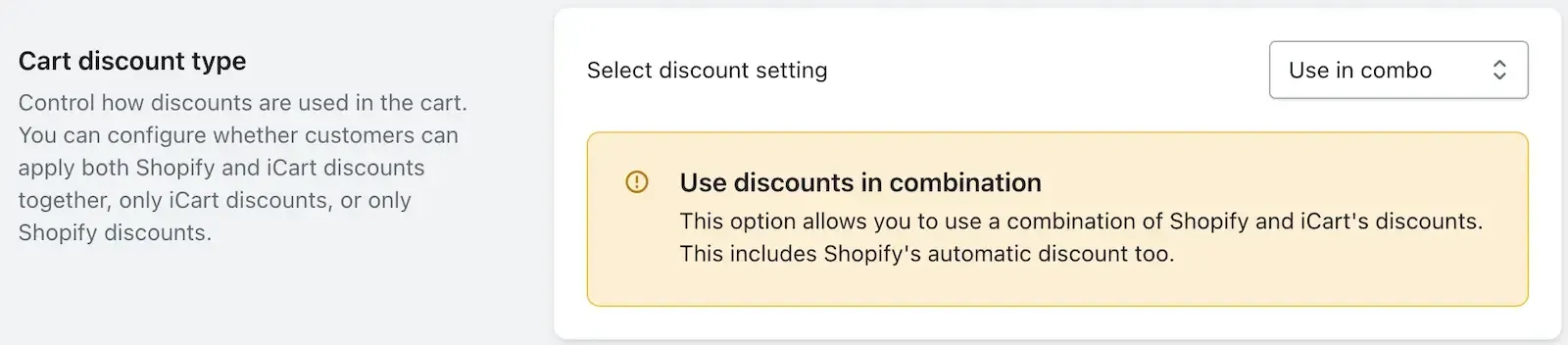
➞ Use in combo
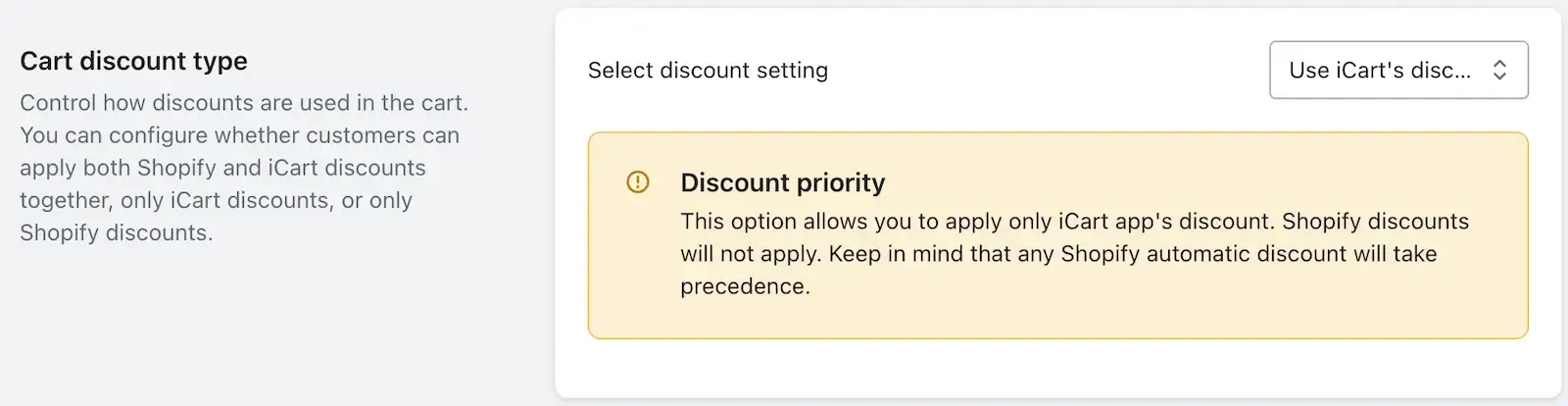
➞ Use iCart's discount
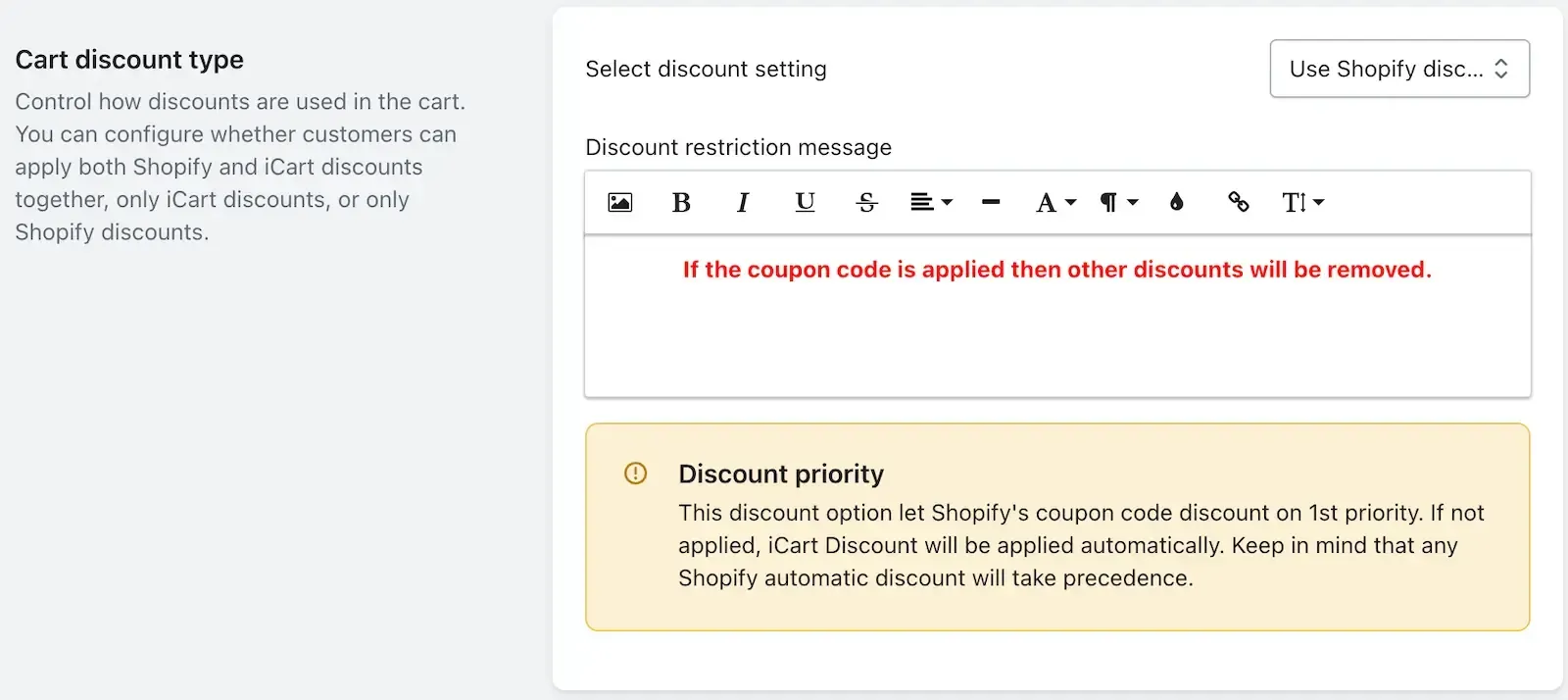
➞ Use Shopify discount only when added
🧩 Discount Options Explained
| Option | Description | Behavior |
|---|---|---|
| ✅ Use in combo | Customers can use both Shopify and iCart discounts together. | Combines Shopify’s automatic or coupon-based discounts with those created in iCart. Useful during promotional campaigns. |
| 🛒 Use iCart’s discount only | Applies only discounts from the iCart app. | Shopify coupon codes entered by the customer will not apply. The coupon code box will be hidden even if enabled in widget settings. |
| 🎟️ Use Shopify discount only if applied | Gives priority to the customer’s manually entered Shopify coupon code. | If no Shopify code is entered, the iCart discount will automatically apply. A helpful message is displayed near the coupon field to explain this behavior. |
🟢 When to use each option
| Use case | Recommended setting |
|---|---|
| You want customers to benefit from both Shopify and iCart deals | Use in combo |
| You want full control over discounts through iCart only | Use iCart's discount |
| You want to honor Shopify coupon codes first, but still apply iCart discounts when none is present | Use Shopify discount only if applied |
💡 Need help?
If you’re unsure which discount setting to choose or face any issues with setup, feel free to email us or live chat with our support team. We’re always happy to help!