


You can easily enable or disable the iCart Cart Drawer Cart Upsell app based on your store's needs. This feature gives you control over whether the app is active on your storefront or not.
✨ What does enable/disable mean?
• Enable iCart: Turns the app on and makes the iCart cart (side cart, popup cart, or full cart – whichever you’ve set up) visible to your customers.
• Disable iCart: Turns the app off, so the iCart cart and widgets won’t be shown on your storefront.
📍 How to enable or disable the iCart app
Follow these simple steps:
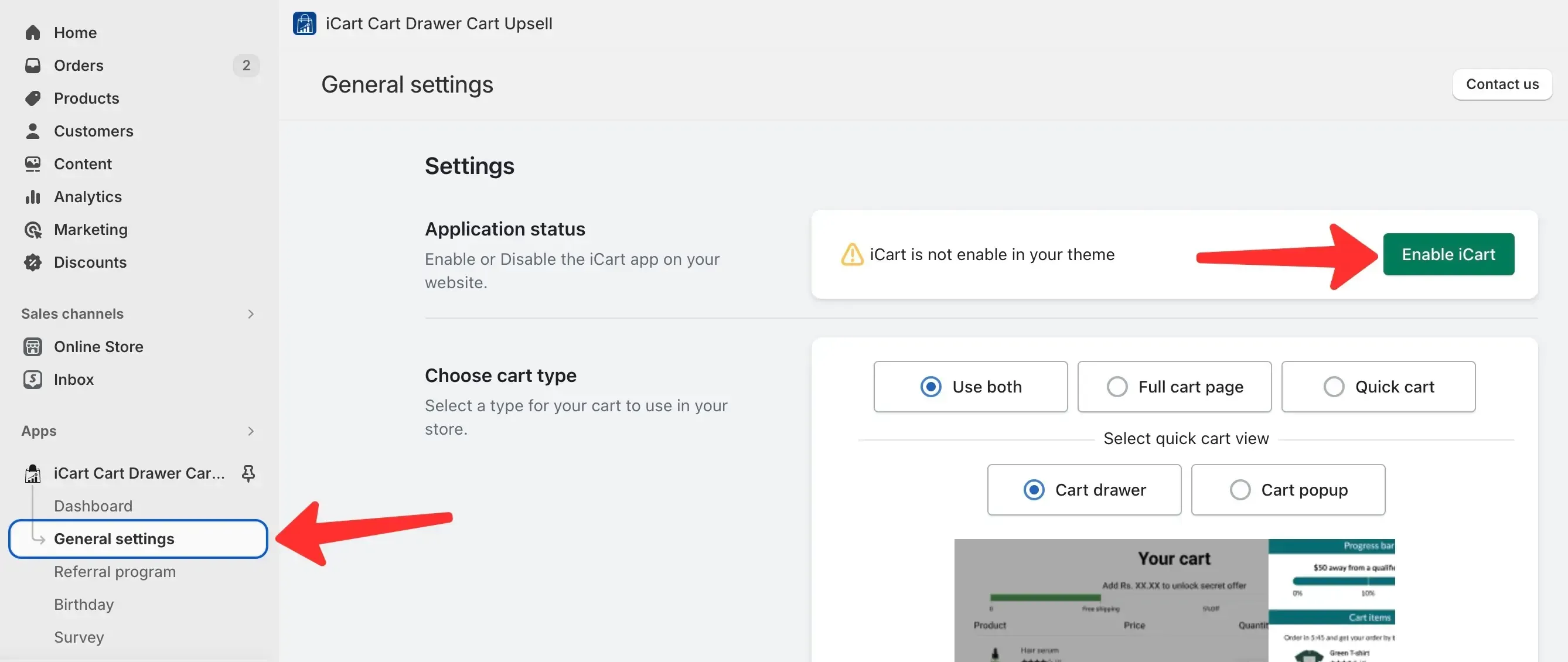
1. Go to: Settings > General Settings > Application Status
2. You’ll see a toggle button in front of the Application Status option.
3. Click the toggle to enable or disable the app.
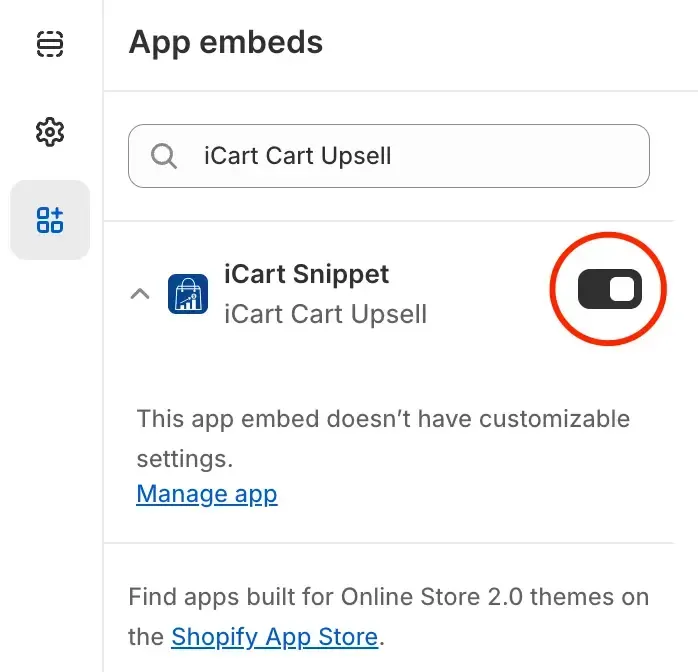
If you skip enabling the app block from the theme, even though you've enabled it in the iCart settings, the app will not be fully activated on your storefront.
💬 Need help?
If you’re unsure how to enable the app block in your theme or need help setting things up, feel free to email us or live chat with our support team. We’re always here to help you get started smoothly!