


Overview
If your store caters to customers who read in right-to-left (RTL) languages like Arabic, Hebrew, or Persian, iCart Cart Drawer Cart Upsell makes it easy to adjust the cart layout to match their reading habits.
The Display right-to-left direction (RTL) option automatically switches the direction of your cart drawer, cart popup, and full cart layout — offering a seamless and familiar experience for RTL language users.
🧭 Where to find this setting
To enable the Right-to-left (RTL) display feature in your iCart Cart Drawer Cart Upsell app, follow these steps:
1. Access the App Settings Page:
- Log in to your Shopify admin panel.
- Navigate to the "Apps" section and open the iCart Cart Drawer Cart Upsell app.
2. Locate the RTL Display Option:
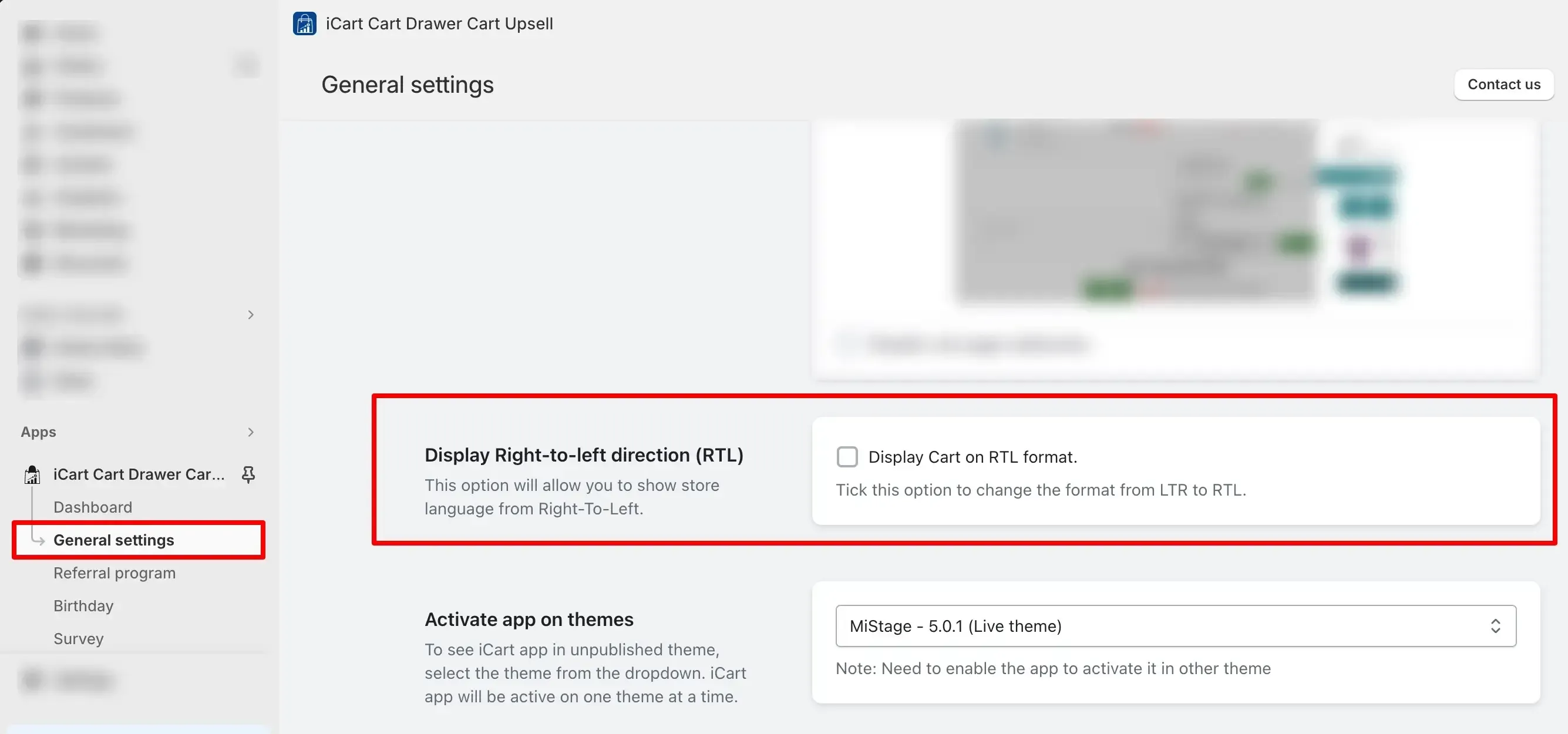
- Once you are in the app's settings page, scroll down until you find the "Display Right-to-left Direction (RTL)" option.
3. Enable the RTL Display:
- Tick/Untick the option to enable/disable the RTL display option.
- Enabling this option will configure the cart drawer, cart popup, and full cart content to be displayed from right to left, aligning with the reading direction of RTL languages.
🔄 What happens when you enable RTL?
Once enabled, this feature:
- Automatically adjusts the layout direction of cart content from right to left.
- Applies across all iCart components — Side Cart, Popup Cart, and Full Cart.
- Helps improve readability, usability, and trust for RTL-speaking users.
This setting is especially helpful if your Shopify store is designed in an RTL language or serves customers from regions where RTL is the standard.
📝 Need Help?
If you need any assistance with enabling RTL display or want to confirm if it's working properly on your store, feel free to email us or live chat with our support team — we’re always here to assist you!