


📝 Overview
The Track Multi-Pixels feature in iCart lets you track important events like ‘Add to cart’ and ‘Checkout’ button clicks inside your iCart Cart Drawer and Full Cart. This data helps you understand customer behavior and improve marketing performance across platforms like Google Analytics, Facebook Pixel, Pinterest, and more.
With this feature, you can easily connect your favorite ad platforms and analytics tools to track conversion events triggered inside iCart — just like on your regular cart or checkout pages.
🚀 How to access this feature
To set up pixel tracking in iCart:
- Open your iCart Cart Drawer Cart Upsell app.
- Go to General Settings from the left menu.
- Scroll down to the Track multi-pixels section.
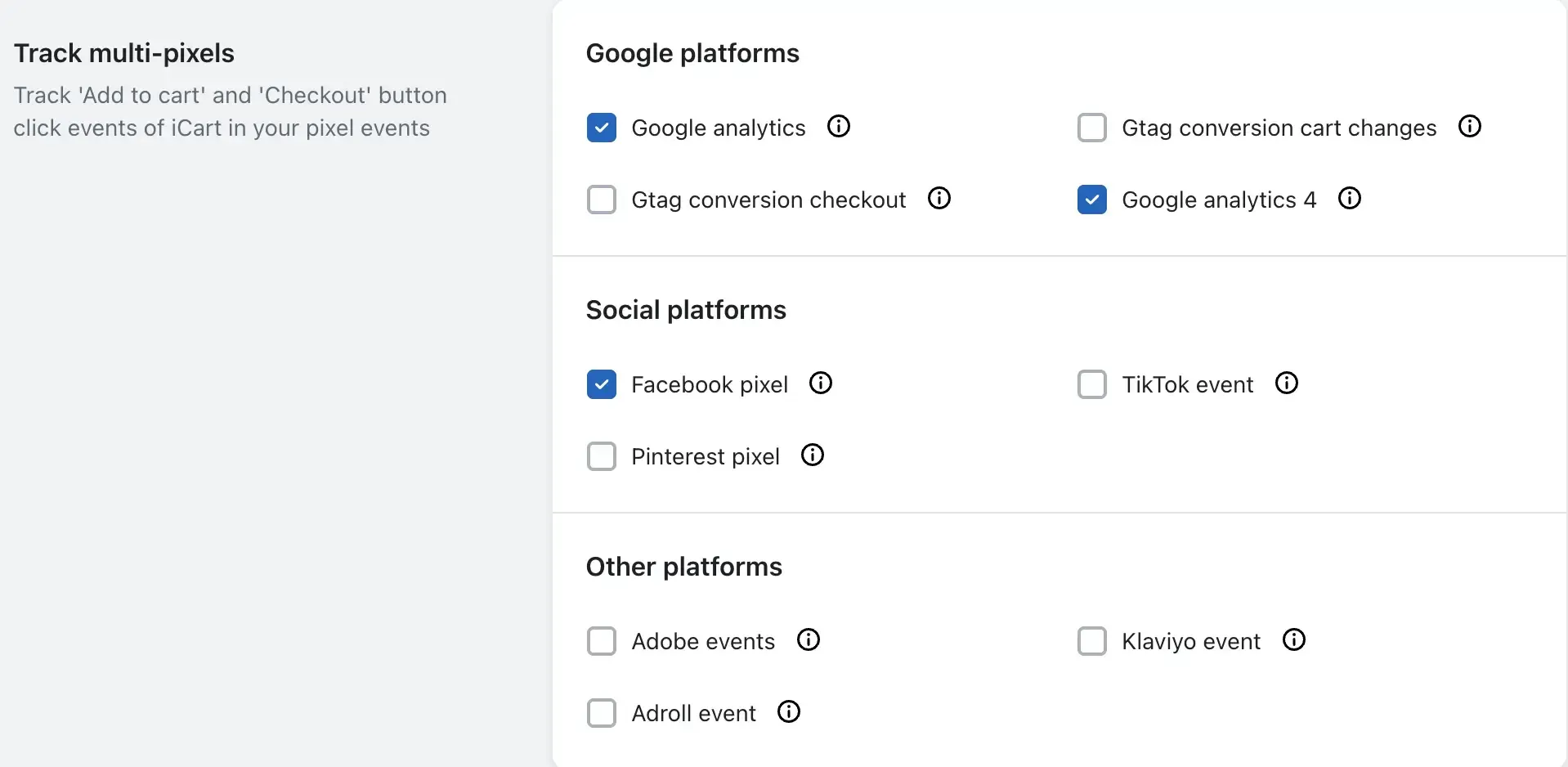
From here, you’ll see multiple platform options grouped by type — just tick the checkboxes to enable tracking for each platform.
📊 Supported tracking platforms
| ✅ Google Platforms | |
|---|---|
| Google Analytics | Google Analytics 4 (GA4) |
| Gtag Conversion Checkout | Gtag Conversion Cart Changes |
| ✅ Social Platforms | |
| Facebook Pixel | Pinterest Pixel |
| TikTok Event Tracking | |
| ✅ Other Platforms | |
| Adobe Events | Klaviyo Event Tracking |
| Adroll Event Tracking | |
You can enable or disable any option depending on which platforms you use in your store.
🛠 Why use this?
By enabling multi-pixel tracking:
- You capture detailed customer activity inside your iCart cart interface.
- You get more accurate conversion tracking for ‘Add to cart’ and ‘Checkout’ actions.
- You make better data-driven decisions across marketing platforms.
💬 Need Help?
If you're unsure which pixels to enable or how to get started, feel free to email us or use our live chat to talk with our support team. We’re happy to assist you with tracking setup and optimization.