
Knowledge Base 


iCart Cart Drawer Cart Upsell

Drag & drop cart page builder with sticky add to cart drawer like onboarding, cart customiser, app settings, affiliate program, integration and FAQ.

Does this app support multi-currency?

3 Aug 202638 Views

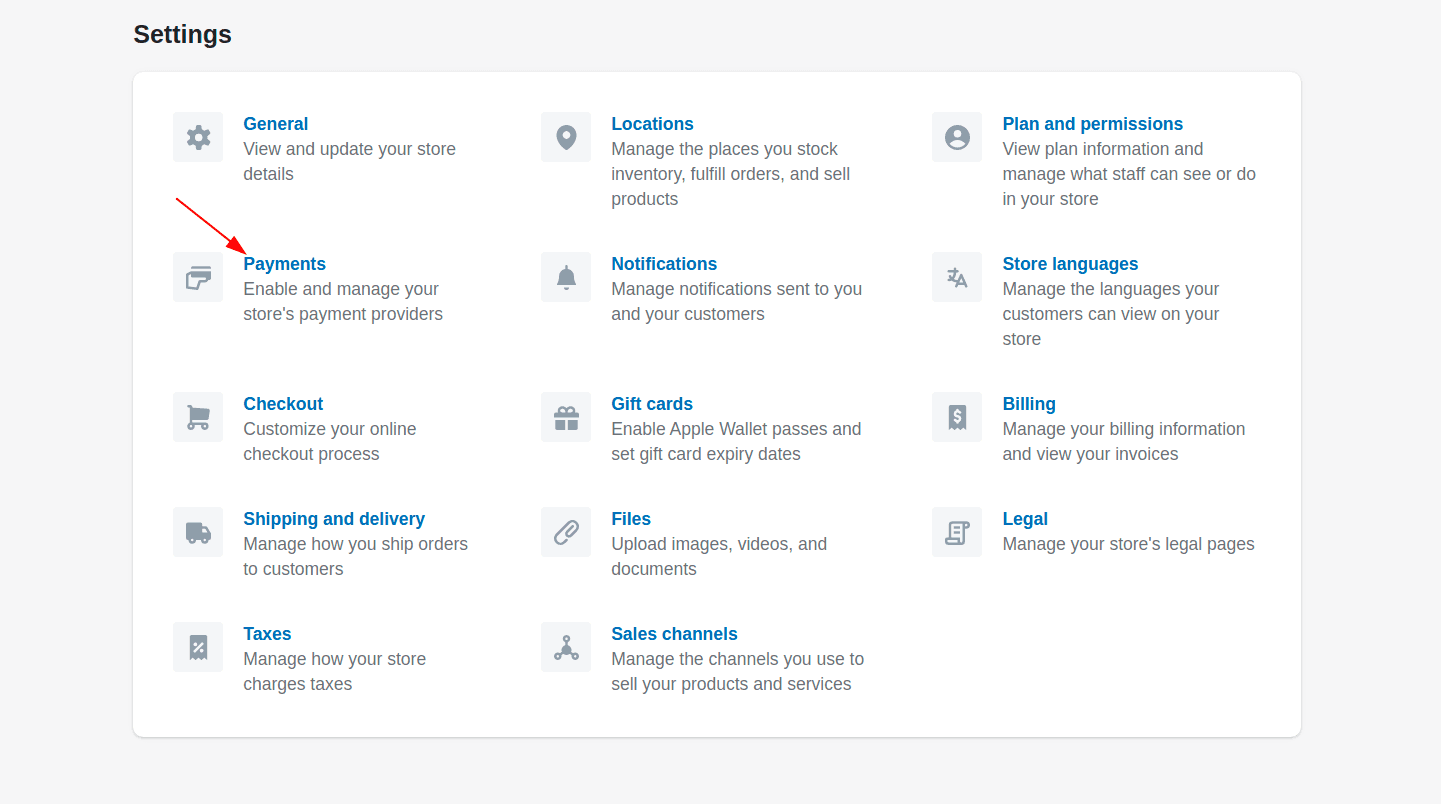
The iCart Cart Drawer Cart Upsell app supports Shopify's multi-currency feature, allowing you to display various currencies in your store. This enables your customers to choose their preferred currency for viewing product prices, ensuring a more personalized shopping experience. To enable this feature, navigate to your Shopify store’s Settings and select Payments.

Click on the Manage button next to the Bogus Gateway option, then use the Add country/region button to include the countries or regions you want to offer. After adding these, the selected currencies will be available for your customers to choose from when shopping in your store.

iCart Cart Drawer Cart Upsell app is supported with shopify multi-currency feature. You can add different currencies that you want to show in your store which will help your customers to select the one in which they want to view the price of products. Products will be sold to the customers based on the currency that they have selected.

To find this feature go to your Shopify store’s Settings > Payments
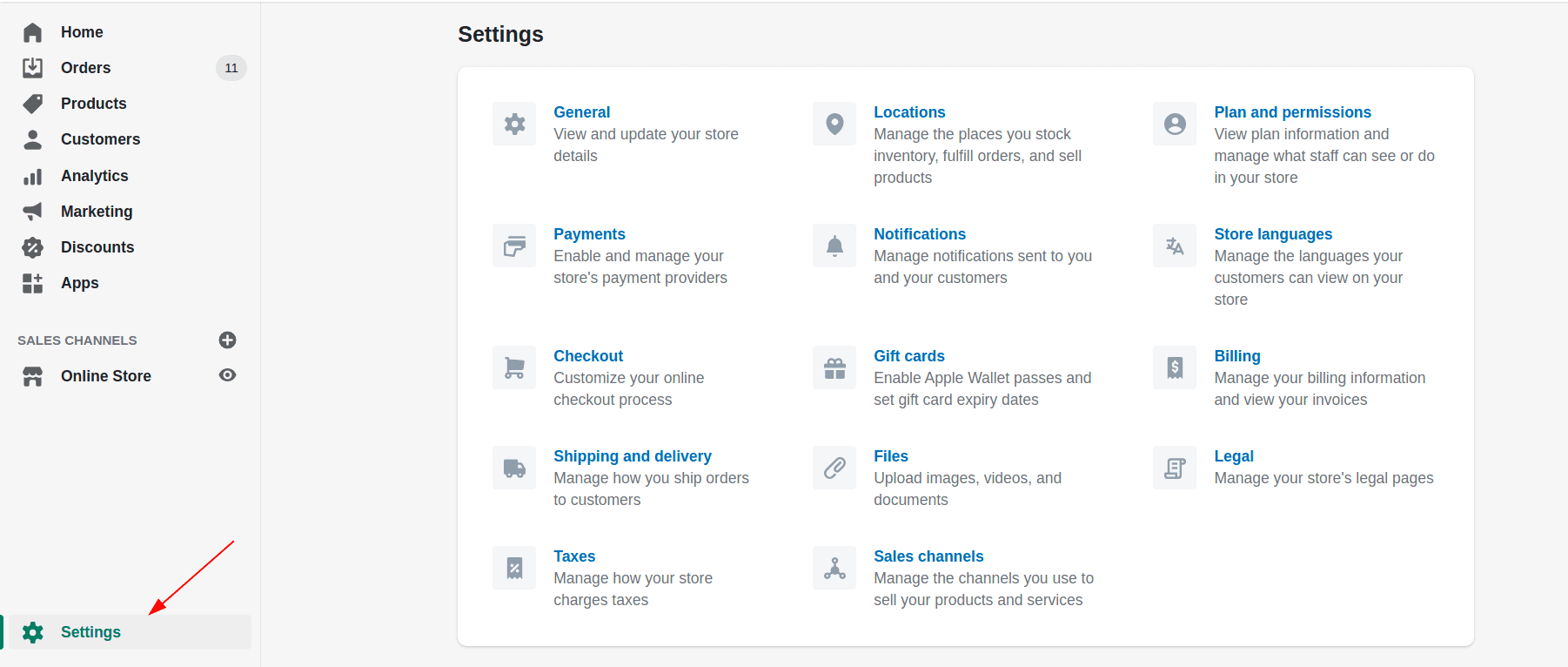
Shopify Settings payment

After clicking on the payments option you can see an option called Bogus Gateway. Click on the Manage button.
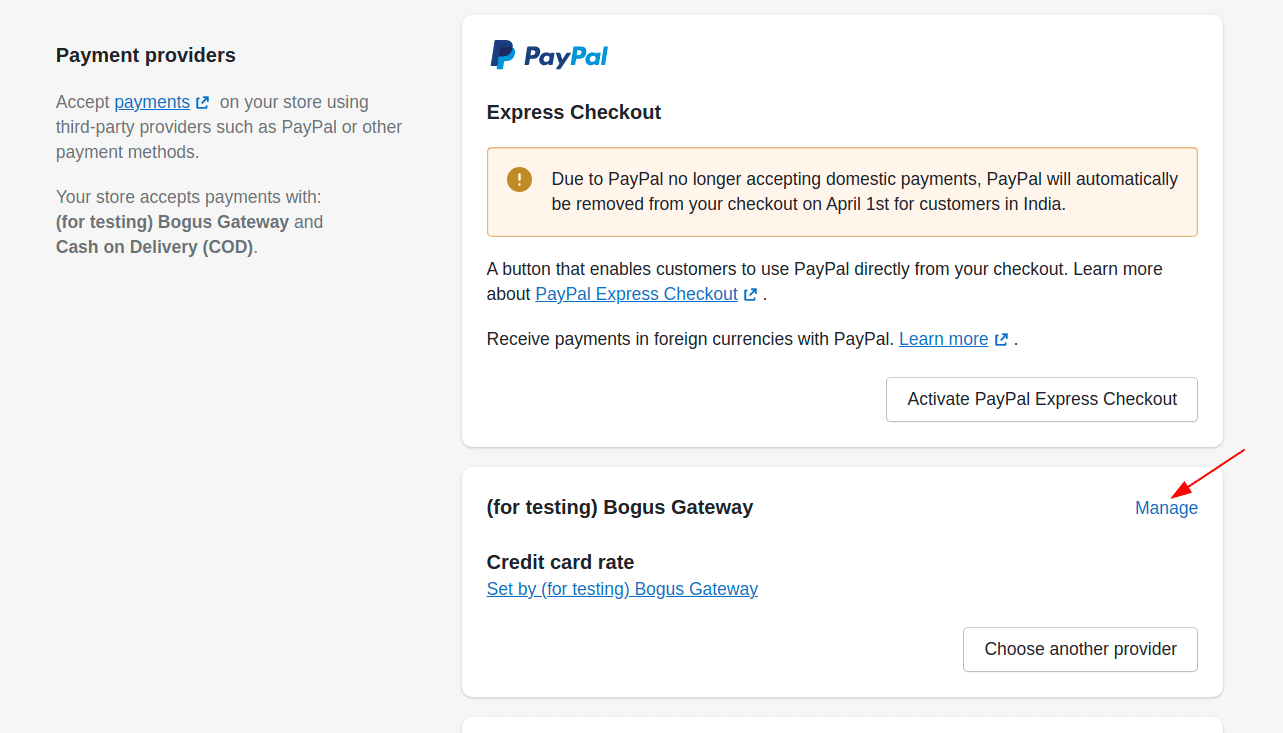
Manage Shopify Payment

Now click on Add the country/region button which will allow you to add the countries/regions that you want to show on your store for your customers.
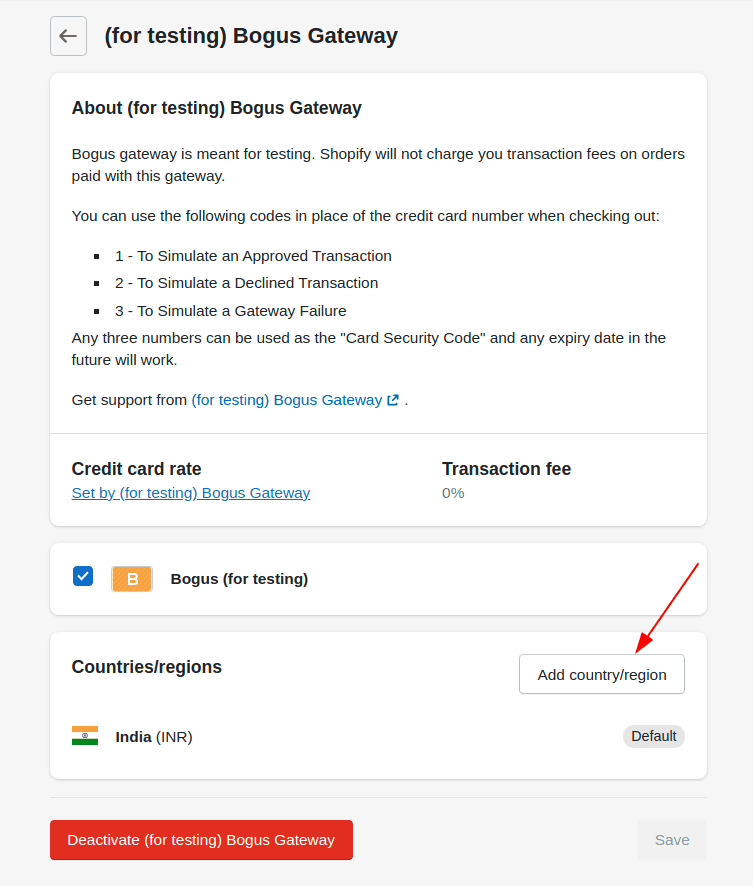
add-country

After adding the countries/regions click on the Add country/region button to get added to your store.
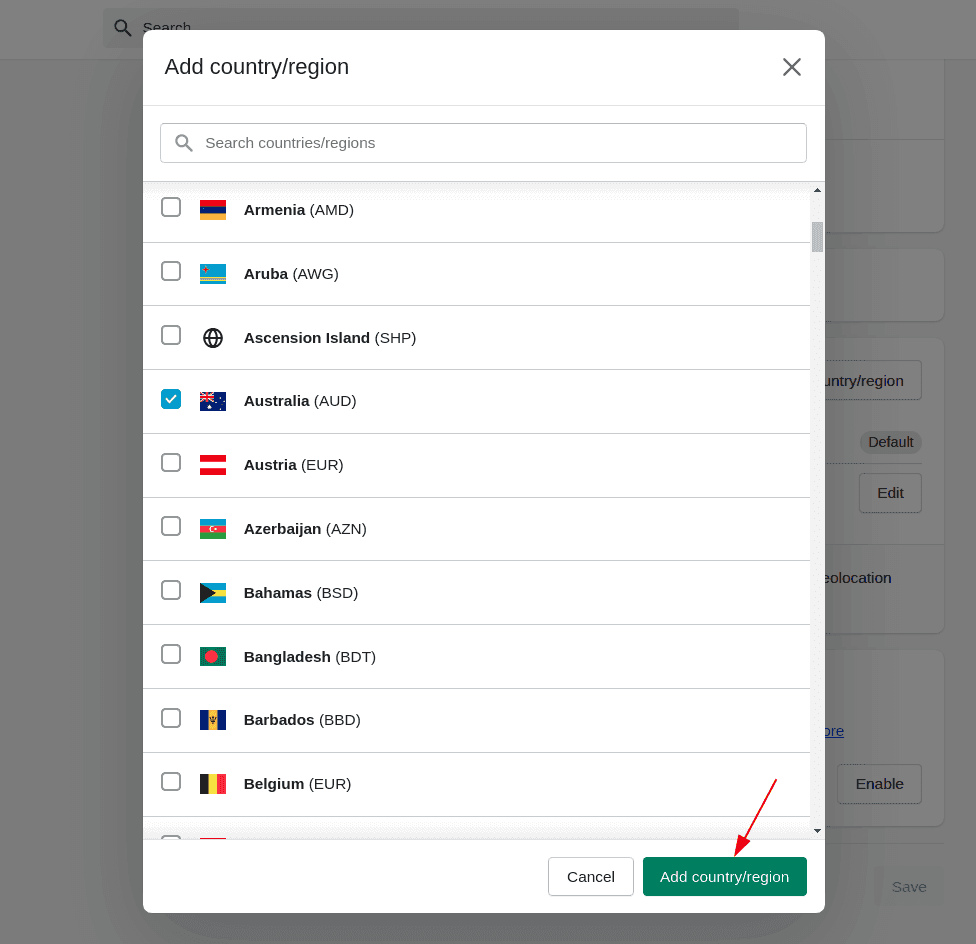
image6

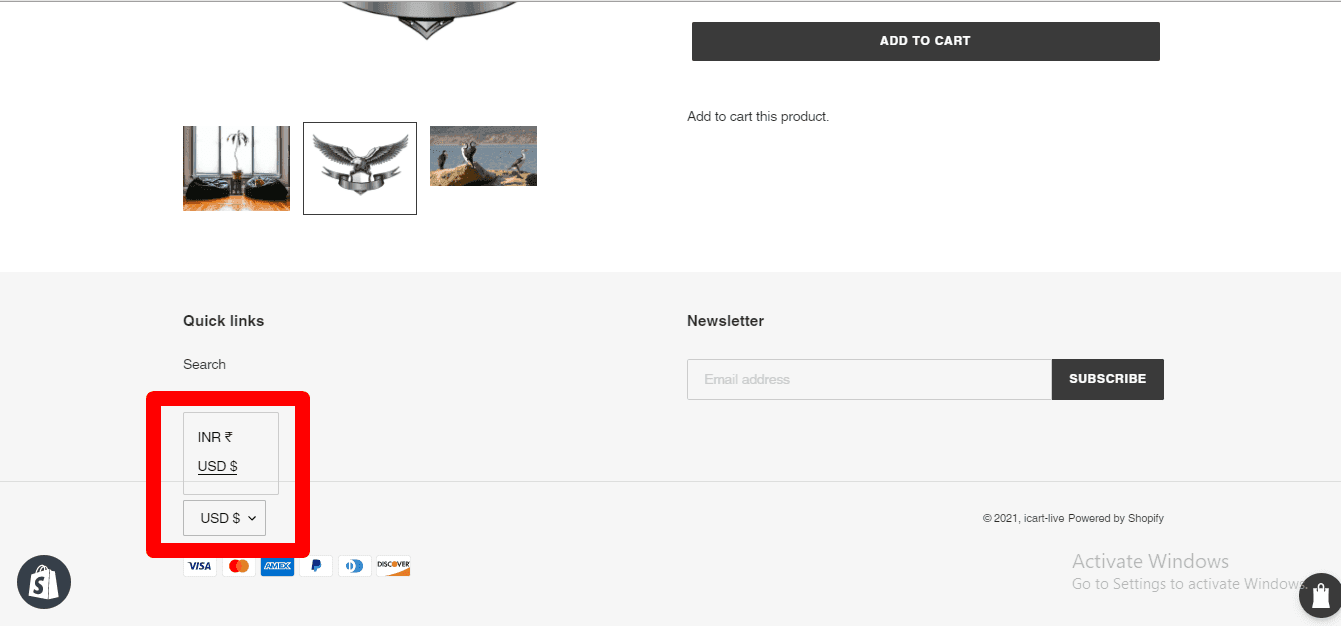
After adding the countries/regions the option displayed on your store may look like as shown in the image below.
multilanguage-currency